
Setting Up Performance & Error Monitoring
The holiday season is approaching. Traffic is about to spike. Let’s get Sentry instrumented so you can monitor performance, catch errors, and keep your e-commerce site running smoothly when it matters most.
Learning Objectives
Section titled “Learning Objectives”By the end of this module, you will:
- Configure Error Monitoring for both frontend and backend
- Set up Sentry Performance Monitoring with Web Vitals tracking (LCP, CLS, FCP, TTFB, INP)
- Enable Session Replays to debug user interactions visually
- Enable structured logging to capture console logs alongside traces and errors
- Implement distributed tracing to track requests across services
- Integrate React Router v6 for parameterized route tracking
- Understand sample rates and when to adjust them for production
What is Sentry?
Section titled “What is Sentry?”Sentry is a comprehensive application monitoring platform that helps developers identify, debug, and resolve performance issues and errors before they impact users. Key features for e-commerce applications include:
- Error Monitoring: Automatic error detection with stack traces and context
- Performance Monitoring: Track Web Vitals (LCP, CLS, FCP, TTFB, INP) and custom performance metrics
- Session Replays: Visual recordings of user sessions to understand checkout failures
- Distributed Tracing: Follow requests from frontend through backend to database
- Structured Logging: Capture and correlate logs with traces and errors for complete context
Sentry automatically captures five key Web Vitals metrics (LCP, CLS, FCP, TTFB, INP) that measure how users experience your site. You’ll learn what these metrics mean and how to optimize them in the next module. For now, let’s focus on getting Sentry instrumented and data flowing.
Instrumenting Your Frontend (React)
Section titled “Instrumenting Your Frontend (React)”-
Install Sentry’s React SDK
From the root of your
unborkedrepository:Installing the Sentry React SDK pnpm add @sentry/react --filter web -
Create the instrumentation file with React Router v6 integration
Create
apps/web/src/instrument.ts:instrument.ts import * as Sentry from '@sentry/react';import { useEffect } from 'react';import {useLocation,useNavigationType,createRoutesFromChildren,matchRoutes,} from 'react-router-dom';Sentry.init({dsn: import.meta.env.VITE_SENTRY_DSN,enableLogs: true,integrations: [// React Router v6 integration for automatic route tracking// Captures all 5 Web Vitals: LCP, CLS, FCP, TTFB, INPSentry.reactRouterV6BrowserTracingIntegration({useEffect,useLocation,useNavigationType,createRoutesFromChildren,matchRoutes,// Performance monitoring optionsidleTimeout: 10000, // Wait 10 seconds for additional requests (default: 1000ms)_experiments: {enableStandaloneLcpSpans: true, // LCP: Largest Contentful PaintenableStandaloneClsSpans: true, // CLS: Cumulative Layout Shift (can happen after pageload)},}),Sentry.consoleLoggingIntegration({ levels: ['log', 'warn', 'error'] }),// Session Replay for debugging user interactionsSentry.replayIntegration({maskAllText: false,maskAllInputs: true,blockAllMedia: false,}),],// Performance MonitoringtracesSampleRate: 1.0, // 100% in dev (reduce to 0.1-0.3 in production)// Distributed tracing - connect frontend to backendtracePropagationTargets: [import.meta.env.VITE_API_BASE_URL],// Session Replay samplingreplaysSessionSampleRate: 0.1, // 10% of sessionsreplaysOnErrorSampleRate: 1.0, // 100% of errorssendDefaultPii: true,environment: import.meta.env.MODE,}); -
Create an error boundary component
Create
apps/web/src/components/ErrorBoundary.tsx:ErrorBoundary.tsx import * as Sentry from '@sentry/react';import { useRouteError, isRouteErrorResponse } from 'react-router-dom';import { useEffect } from 'react';export default function ErrorBoundary() {const error = useRouteError();useEffect(() => {// Send route errors to Sentryif (error) {Sentry.captureException(error);}}, [error]);if (isRouteErrorResponse(error)) {return (<div className="min-h-screen flex items-center justify-center bg-gray-50"><div className="text-center"><h1 className="text-4xl font-bold text-red-600 mb-4">{error.status}</h1><p className="text-xl text-gray-600 mb-4">{error.statusText}</p><p className="text-gray-500">{error.data}</p></div></div>);}return (<div className="min-h-screen flex items-center justify-center bg-gray-50"><div className="text-center"><h1 className="text-2xl font-bold text-red-600 mb-4">Something went wrong</h1><p className="text-gray-600 mb-4">{error instanceof Error ? error.message : 'Unknown error occurred'}</p><buttononClick={() => window.location.reload()}className="px-4 py-2 bg-blue-600 text-white rounded hover:bg-blue-700">Reload page</button></div></div>);} -
Import instrumentation in
main.tsxAdd this import at the very top of
apps/web/src/main.tsx:main.tsx // This MUST be the first import!import './instrument';import { createRoot } from 'react-dom/client';import * as Sentry from '@sentry/react';import App from './App.tsx';import './index.css';createRoot(document.getElementById('root')!, {onRecoverableError: Sentry.reactErrorHandler(),}).render(<App />); -
Wrap your Routes component with Sentry
Update
apps/web/src/App.tsxto wrap your<Routes>component:App.tsx import { BrowserRouter, Routes, Route } from 'react-router-dom';import * as Sentry from '@sentry/react';import { CartProvider } from './context/CartContext';import { AuthProvider } from './context/AuthContext';import ErrorBoundary from './components/ErrorBoundary';import Home from './pages/Home';import Cart from './pages/Cart';import Login from './pages/Login';import Register from './pages/Register';import ProductDetail from './pages/ProductDetail';import Shop from './pages/Shop';import Sale from './pages/Sale';// Create the Sentry-wrapped Routes componentconst SentryRoutes = Sentry.withSentryReactRouterV6Routing(Routes);function App() {return (<BrowserRouter><AuthProvider><CartProvider><div className="min-h-screen bg-gray-100"><SentryRoutes><Routepath="/"element={<Home />}errorElement={<ErrorBoundary />}/><Routepath="/shop"element={<Shop />}errorElement={<ErrorBoundary />}/><Routepath="/sale"element={<Sale />}errorElement={<ErrorBoundary />}/><Routepath="/cart"element={<Cart />}errorElement={<ErrorBoundary />}/><Routepath="/login"element={<Login />}errorElement={<ErrorBoundary />}/><Routepath="/register"element={<Register />}errorElement={<ErrorBoundary />}/><Routepath="/product/:id"element={<ProductDetail />}errorElement={<ErrorBoundary />}/></SentryRoutes></div></CartProvider></AuthProvider></BrowserRouter>);}export default App; -
Add Sentry DSN to environment variables
Open
apps/web/.envand add your Sentry DSN (the file already hasVITE_API_BASE_URLfrom the quickstart):Adding Sentry DSN to apps/web/.env VITE_SENTRY_DSN=<Your Frontend Sentry DSN>VITE_API_BASE_URL=http://localhost:3001 -
Set up sourcemaps with Sentry Wizard
Sourcemaps help you debug minified production code:
Setting up sourcemaps with Sentry Wizard cd apps/webpnpx @sentry/wizard@latest -i sourcemapsFollow the prompts:
- Select
Sentry SaaS - Choose your organization and frontend project
- Select
Viteas the bundler - Select
PNPMas package manager - Select
Nofor CI/CD
This creates
.env.sentry-build-pluginand updatesvite.config.tsautomatically.The Sentry Vite plugin doesn’t upload source maps in watch-mode/development-mode. You can now upload them to Sentry using the Vite build command:
Building the frontend and uploading sourcemaps to Sentry pnpm buildThis will build your frontend and upload the sourcemaps to Sentry. We can now either use
pnpm startorpnpm devto start the development server. We will stick withpnpm devfor this workshop. - Select
-
Annotate React Components
Now that we have a Vite Sentry plugin, we can also extend it to bring in React component names to our traces for easier debugging. Edit
vite.config.tsto add the following:vite.config.ts // ... rest of your vite.config.tssentryVitePlugin({org: __YOUR_SENTRY_ORG__,project: __YOUR_SENTRY_PROJECT__,reactComponentAnnotation: {enabled: true,},}),// ... rest of your vite.config.ts -
Return to the root directory
Navigate back to the root of your project:
Navigating back to the root directory cd ../..
Instrumenting Your Backend (Express)
Section titled “Instrumenting Your Backend (Express)”-
Install Sentry’s Node SDK
Installing the Sentry Node SDK pnpm add @sentry/node --filter api -
Create the instrumentation file
Create
apps/api/src/instrument.ts:instrument.ts import * as Sentry from '@sentry/node';Sentry.init({dsn: process.env.SENTRY_DSN,// Performance MonitoringtracesSampleRate: 1.0, // 100% in dev// Enable structured logging - captures console.log, console.error, etc.enableLogs: true,integrations: [Sentry.consoleLoggingIntegration({ levels: ['log', 'warn', 'error'] }),],environment: process.env.NODE_ENV || 'development',}); -
Import instrumentation in
index.tsUpdate
apps/api/src/index.tswith the complete instrumentation:index.ts // This MUST be the first import!import './instrument';import express from 'express';import * as Sentry from '@sentry/node';import cors from 'cors';import dotenv from 'dotenv';import routes from './routes';import { Request, Response, NextFunction } from 'express';dotenv.config();const app = express();const PORT = 3001;const FRONTEND_URL = process.env.FRONTEND_URL || 'http://localhost:4173';const corsOptions = {origin: [FRONTEND_URL],methods: ['GET', 'POST', 'PATCH', 'DELETE', 'OPTIONS'],allowedHeaders: ['Content-Type','Authorization','X-API-Key','sentry-trace','baggage',],credentials: true,};app.use(cors(corsOptions));app.use(express.json());app.use((req: Request, res: Response, next: NextFunction) => {console.log(`${req.method} ${req.url} - Request received`);next();});// Routesapp.use('/api', routes);// Add Sentry error handler AFTER all routesSentry.setupExpressErrorHandler(app);// Custom error handler goes AFTER Sentry's error handlerapp.use((err: Error, req: Request, res: Response, _next: NextFunction) => {console.error('Unhandled error occurred:', err.message, err.stack);res.status(500).json({error: 'Something broke!',message:process.env.NODE_ENV === 'development'? err.message: 'Internal Server Error',});});const startServer = async () => {try {console.log('🚀 Starting server...');// Start serverconsole.log('About to call app.listen on port', PORT);app.listen(PORT, () => {console.log('✅ Server is running on port', PORT);console.log(`🔗 Allowed frontend origin: ${FRONTEND_URL}`);});} catch (startupError: any) {console.error('❌ Failed to start server:',startupError.message,startupError.stack);process.exit(1);}};startServer(); -
Add Sentry DSN to environment variables
Open
apps/api/.envand add your Sentry DSN (the file already hasDATABASE_URLfrom the quickstart):Adding Sentry DSN to apps/api/.env SENTRY_DSN=<Your Backend Sentry DSN>DATABASE_URL=postgresql://... -
Test your setup
Your server should be running already, but if not, start it with:
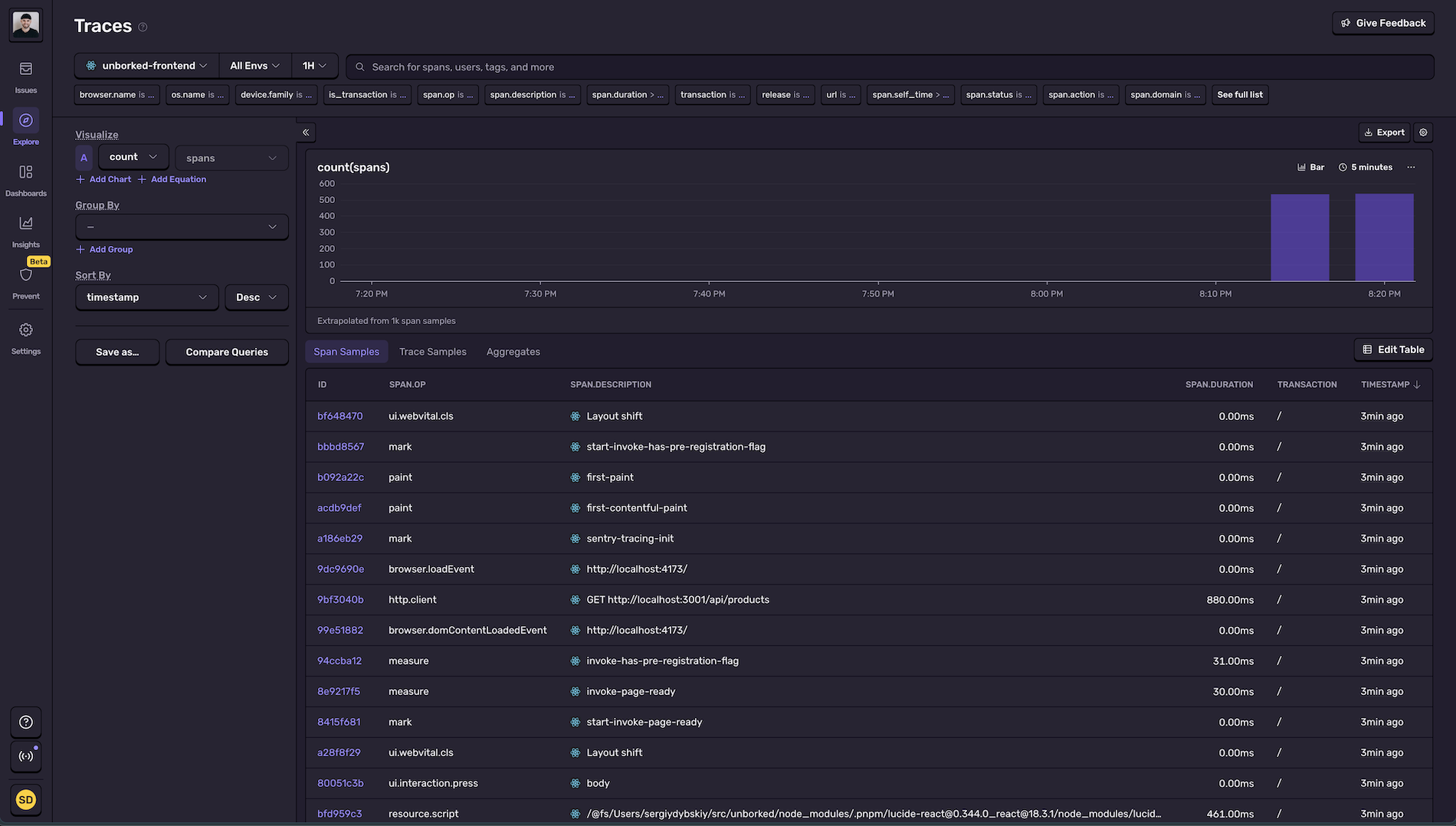
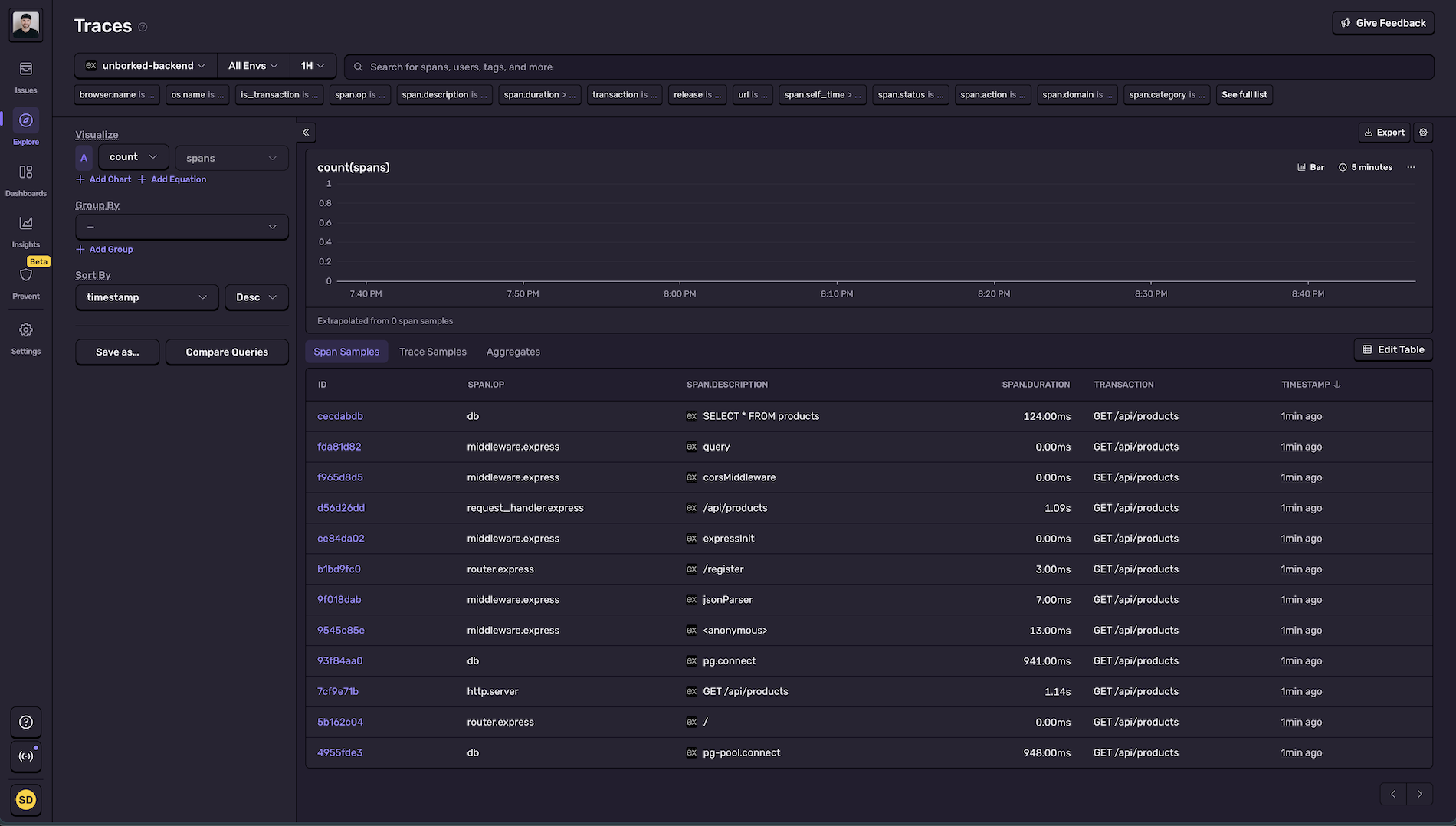
Starting the development servers cd ../.. # Back to rootpnpm devOpen http://localhost:4173 and browse around. You should see transactions flowing into both Sentry projects.
Verify Your Setup
Section titled “Verify Your Setup”Before moving on, let’s confirm everything is working:
- Frontend transactions appear in Sentry Performance view with route names (e.g.,
/products/:id) - Backend transactions appear in Sentry Performance view
- Session Replays are being recorded (check Replays tab in frontend project)
- Console logs appear in Sentry traces and replays (check the console tab in any trace)
- Error boundary is set up and routing errors are captured
- Both frontend and backend are sending data to Sentry
Having issues? Check that:
- Environment variables are set correctly in both
.envfiles instrument.tsis imported first in bothmain.tsxandindex.ts- Your dev servers are running (
pnpm devfrom root)
Next up: We’ll identify and fix Web Vitals issues like slow LCP, layout shifts, and render-blocking requests that hurt your conversion rates.